Your QR codes
A code is a short link that you print once. What it does is up to you, and you can change it at any time. The dashboard lists every code with its scans, its unique visitors, and its leads.
The dashboard
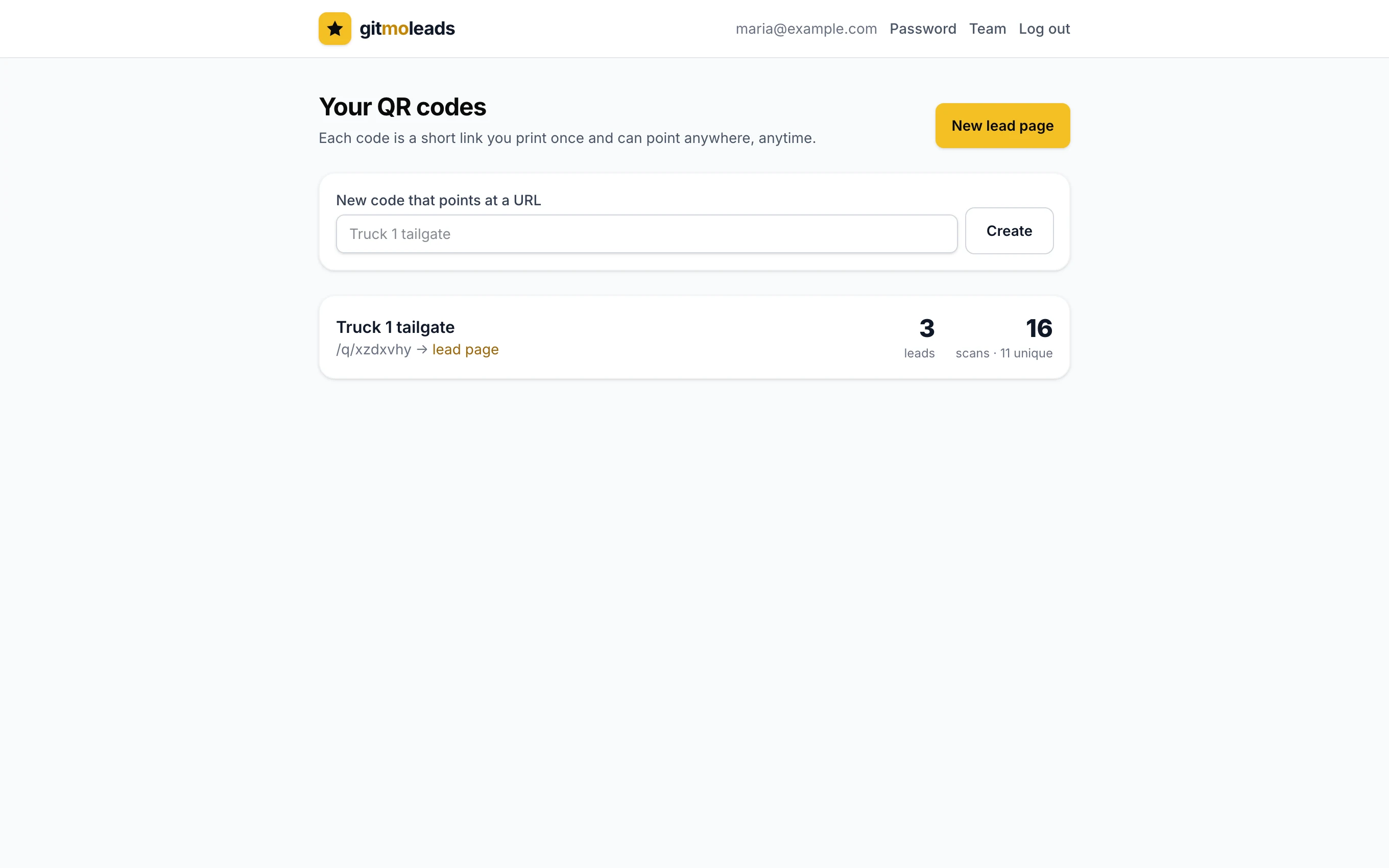
Each row shows the name, the printed link, what the code does, and the counts. There are two ways to make a new code:
- New lead page opens the builder: a name, a headline, a color, then the preview and the QR code.
- New code that points at a URL: type a name and tap Create. The code page opens. Paste the destination there and save.
The code page
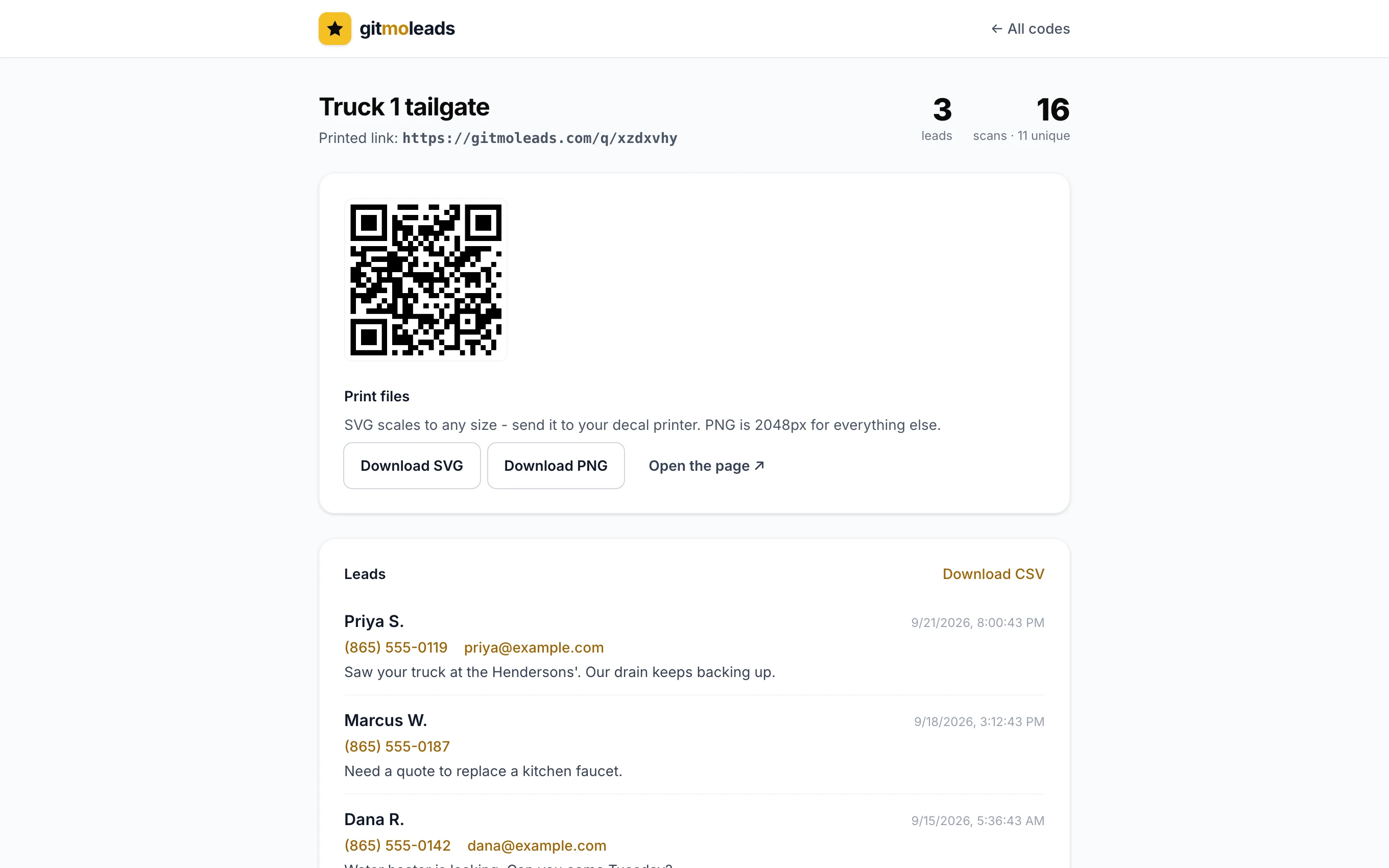
From top to bottom:
- Printed link. The link inside the QR code. It looks like gitmoleads.com/q/xzdxvhy and never changes.
- Counts. Leads, scans, and unique visitors.
- Print files. Download SVG, Download PNG, and Open the page.
- Leads. Only on a lead page. The list and the CSV download.
- Where does it point? The name of the code and what it does.
- Recent scans. The last 20 scans.
- Delete this code. At the bottom.
Three things a code can do
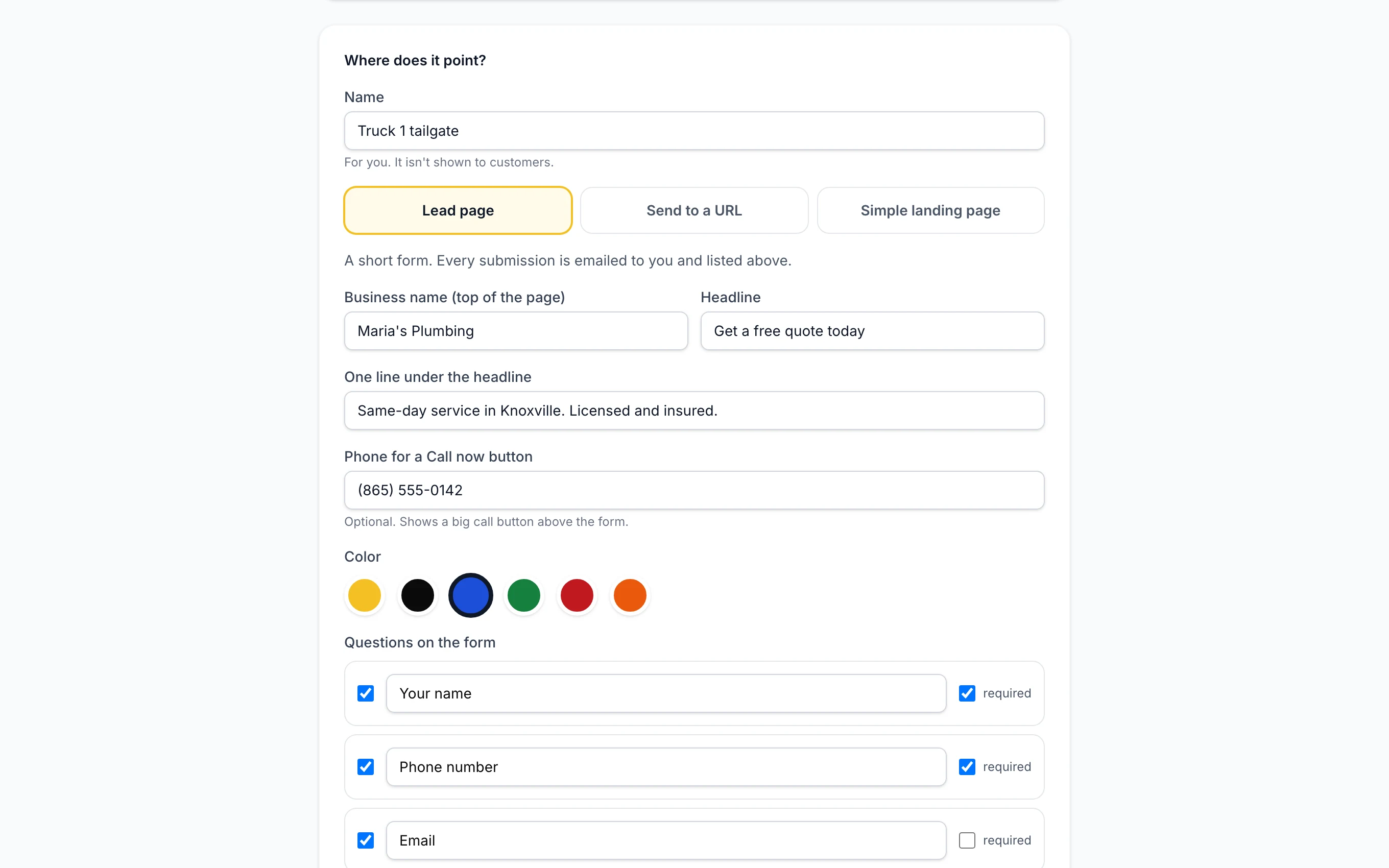
- Lead page. A short form. Every message comes to you by email. See Lead pages & leads.
- Send to a URL. A scan goes straight to the address you enter: your website, your booking page, or your Google review link. We add tags for analytics to the link (utm_source=gitmoleads, utm_medium=qr, utm_campaign=the name of the code, utm_content=the id of the code), so Google Analytics or PostHog can show which visits came from the code. Tags that you put in the address yourself are kept.
- Simple landing page. A page we host: a headline, a short description, and one button. The button can open a website, a phone number (tel:), a text message (sms:), or an email (mailto:).
Print files
- SVG. A vector file. Give it to the decal shop or use it for any large print. It stays sharp at every size.
- PNG. 2048 pixels wide. Use it for signs, flyers, invoices, and documents.
Both files have a white margin around the code. Keep it. A code with no margin scans badly. You can download the files again at any time from the code page.
The name
The name is for you. Customers never see it. Use the place the code goes, like Truck 3 tailgate or Yard sign, so you can tell the counts apart.
Scans and unique visitors
- Every scan is counted the moment the page opens. Your own test scans count too.
- Known bots, like search engines and link checkers, are not counted.
- Repeat scans from the same phone within 30 seconds count once.
- Unique counts phones, not scans. The first scan sets a small cookie in the phone's browser. A later scan from the same browser counts as a scan, not as a new visitor, and shows as returning in the list.
- Recent scans shows the last 20 scans with the time and the page the visit came from. A camera scan shows direct.
Deleting a code
Delete this code is at the bottom of the code page. The printed code stops working and shows "Code not found". The scans and the leads of that code are deleted with it. There is no undo.
If you only want the form to stop, do not delete the code. Switch it to Send to a URL instead.